

How to Play Online Bingo With Friends (Free, No Sign-Up)
By GameBuddies Team — 2026-07-02
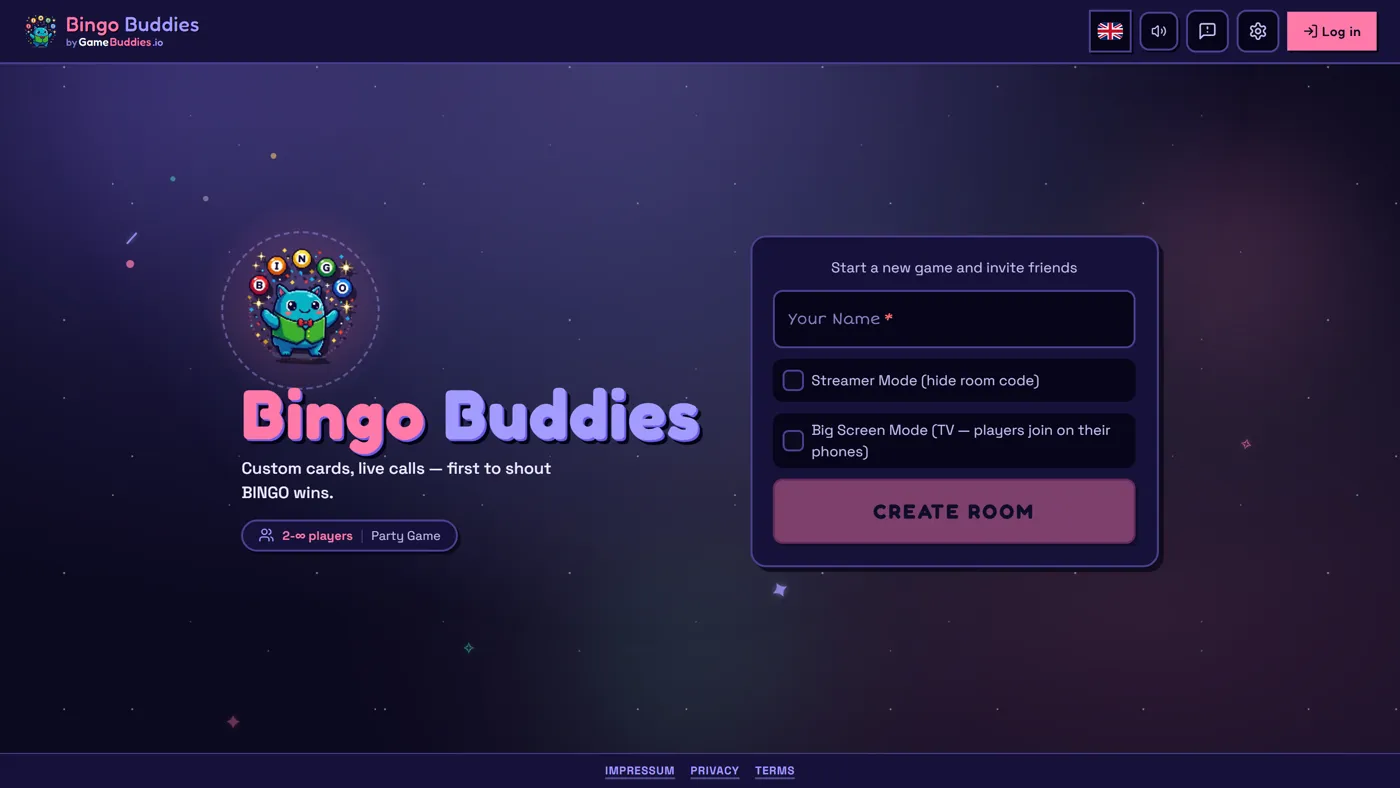
You can play online bingo with friends in under a minute: open Bingo Buddies, create a room, share the join code, and everyone gets their own randomized card in the browser — free, no download, no account. Numbers are called in real time and synced across all players, and the first to complete a row, column, or diagonal hits BINGO.
Here's everything you need to set up a bingo night with friends, whether that's two of you on phones or a big group on a video call.
What you need to play online bingo with friends
Honestly: almost nothing.
- No download, no account. The game runs entirely in your browser — Chrome, Safari, Firefox, or Edge, on desktop, tablet, or phone.
- Any group size. Bingo works from 2 players up to a big group. More players just means a tighter race to BINGO.
- One person to host. The host creates the room and picks the settings; everyone else joins with a code.
How to set up a bingo game with friends (step by step)
- Create a room. Go to Bingo Buddies and start a new room. Pick your grid size — 2x2 for quick rounds, up to classic 5x5 — and either use the default cards or write your own.
- Share the join link or room code. Send it in your group chat. Everyone who joins gets their own randomized bingo card — no two cards are the same.
- Start calling. Numbers are called in real time and synced for every player. Tap or click to mark matching squares on your card.
- Race to a line. First player to complete a full row, column, or diagonal hits the BINGO button — the game verifies the win instantly, so there are no arguments.
Custom bingo: the part regular bingo apps can't do
The squares on a Bingo Buddies card don't have to be numbers. The host can write any text on every square, which turns bingo into a party game generator:
- Event bingo — put predictable moments of a movie night, football match, or family call on the card ("someone's mic is muted", "dad tells that story again").
- Challenge and dare bingo — each square is a mini-dare; mark it when someone does it.
- Streamer bingo — Twitch streamers can run real multiplayer bingo with their chat's predictions instead of a static Paint overlay, with a broadcast window built for OBS.
- Classic numbers — and yes, plain old number bingo works exactly like you'd expect.
Ways to play
Bingo night with a group call
Bingo is a talking game — the fun is in the reactions. Run a voice or video call alongside the game, or play one of the games with built-in video chat on GameBuddies so you can see each other while you play.
2-player bingo
With randomized cards and synced calls, bingo stays competitive head-to-head: same calls, different cards, first line wins. Quick 2x2 or 3x3 grids keep rounds short enough for best-of-five.
Groups, classrooms and teams
Custom text squares make bingo a solid icebreaker or classroom review game — put vocabulary, trivia answers, or "find someone who…" prompts on the squares. Everyone plays on their own device, so there's nothing to print.
Free online bingo vs. bingo apps
Most mobile bingo apps are casino-style: install required, account required, ad-heavy, and usually built around buying coins. Playing in the browser flips all of that:
- Cost: free vs. free-to-start-then-pay
- Install: none vs. app store download for every player
- Sign-up: none vs. account creation
- Custom cards: any text on any square vs. fixed number cards
- Playing together: one shared room with synced calls vs. mostly solo play against strangers
To be fair, GameBuddies isn't the only way to play bingo online without an app. If you just need a number caller for physical cards, free caller sites like Let's Play Bingo do that well. If you want printable custom cards, generators like My Free Bingo Cards are a good fit. Bingo Buddies is the option when you want the whole thing — custom cards, calling, marking, and win detection — in one shared multiplayer room.
Tips for a better remote bingo night
- Add stakes. Small themed prizes, loser-buys-coffee, or a running season scoreboard.
- Let players suggest squares. For event bingo, collect square ideas in the group chat first — the card is funnier when everyone contributed.
- Rotate the host. Different host, different card theme each week.
- Mix in other games. A GameBuddies room isn't locked to bingo — between rounds you can switch to trivia, drawing, or word games from the full games catalog without anyone rejoining. See our browser party games guide for what to try next.
FAQ
Is online bingo with friends free? Yes. Bingo Buddies is 100% free to play — no coins, no paywall on core gameplay.
Do we need to download anything? No. It runs in the browser on any device. One person shares a link; everyone plays.
Can 2 people play? Yes — bingo works head-to-head from 2 players, and scales up to big groups.
How many friends can join? Rooms support groups comfortably; every player gets their own randomized card.
Can we play on phones? Yes. The game is fully mobile-friendly — phone, tablet, or desktop, in the same room.
Do we need accounts? No sign-up needed. Pick a name, join with the room code, play. (A free account saves your stats and streaks if you want them.)
Ready when you are: start a free bingo room → — or browse more free browser games for your next game night.